
Claude Code Skills for Code Review: How to Create, Install and Activate Them
Create and install a custom Claude Code review skill with a copy-ready SKILL.md template. Learn local vs global paths, activation, troubleshooting, and the CodeCrab output format.
To create a Claude Code skill for code review, save a SKILL.md file in .claude/skills/code-reviewer/ inside your repository, then invoke it with /code-reviewer. Put reusable investigation steps in the skill, keep persistent project facts in CLAUDE.md, and specify exactly which pull request you want reviewed. You do not need a separate plugin to use a skill you wrote locally.
This guide walks through creating, installing, activating, and testing a custom review skill, using a general senior-level pull request reviewer as the example. It includes a copy-ready template, a prompt that adapts the skill to your own codebase, and the mandatory output contract for using your local skills with CodeCrab. For the broader review strategy, start with our guide to repository-aware Claude Code reviews.
What are Claude Code skills?
A skill is a directory containing a SKILL.md instruction file and, optionally, supporting reference files or scripts. Claude Code can load its instructions when the task is relevant, or you can invoke the skill explicitly as a slash command. A review skill turns your team's repeated checklist into a reusable procedure, not a new model.
The body loads when the skill is used, rather than occupying context for every task. Its description helps Claude decide when to use it automatically. For deliberate review workflows, manual invocation makes the scope and timing easier to control.
Skills vs. CLAUDE.md vs. subagents
| Mechanism | Best use | Review example |
|---|---|---|
| CLAUDE.md | Persistent project instructions | Architecture boundaries and test commands |
| Skill | An on-demand procedure | Fetch the diff, follow callers, format findings |
| Subagent | Delegated work in a separate context | A focused security investigation |
You do not need subagents to start. A single skill with a clear scope is enough for a useful first review. Skills and subagents can work together later; they are not interchangeable.
How to create a custom Claude Code review skill
From your repository root, create the directory below. These terminal commands use macOS, Linux, or Git Bash syntax; on Windows you can also create the same folders and file in your editor. The file must be named SKILL.md.
mkdir -p .claude/skills/code-reviewerSave the following as .claude/skills/code-reviewer/SKILL.md. Name the directory and the frontmatter name field identically — here code-reviewer — because the directory name is what you type after the slash. This example is a general reviewer: it fetches a pull request with the GitHub CLI, reads the repository to judge existing patterns, and refuses to post anything back. Nothing in it is tied to one particular project.
---
name: code-reviewer
description: >-
  Senior code reviewer for teammate PRs in this repo. Fetches the PR via gh,
  optionally loads Jira context from the PR description, and evaluates changes
  across correctness, readability, architecture, security, and performance.
  Use when asked to /code-reviewer or review a teammate PR before merge.
disable-model-invocation: true
---

# Code Reviewer

Senior Staff-level review of a **teammate’s pull request in this repository**.
Fetch the PR with `gh`, optionally load Jira context from the PR description,
evaluate the change across five dimensions, and return a structured review for
the human to use.

## When to use

- `/code-reviewer <PR URL or number>`
- User asks to review a teammate PR before merge (this repo only)

## Hard constraints

1. **This repo only** — resolve `owner/repo` with `gh repo view --json nameWithOwner`.
   Reject PRs that belong to a different remote.
2. **Read-only toward GitHub** — do **not** run `gh pr comment`, `gh pr review`,
   approve / request-changes, push, or check out the PR branch in a way that
   mutates the user’s working tree.
3. **Do not post** the review to GitHub or Jira. Output is for the human reviewer.
4. Do not implement fixes unless the user asks in a follow-up.

## Input

Require a PR URL or number. Examples:

- `/code-reviewer https://github.com/org/repo/pull/42`
- `/code-reviewer 42`

If missing, ask once for the PR URL or number and stop.

## Workflow

### 1. Confirm repo and PR

```bash
gh repo view --json nameWithOwner -q .nameWithOwner
gh pr view <n> --json number,url,title,body,author,baseRefName,headRefName,files,commits,additions,deletions,changedFiles
gh pr diff <n>
gh pr checks <n>   # optional; feeds Verification Story
```

Abort if the PR is not for this repository.

### 2. Jira context (optional)

From the PR body, extract the first Jira browse URL
(`https://…atlassian.net/browse/KEY-123`) or issue key (`KEY-123`).

- If a `jira` CLI, MCP, or other authenticated access is available, fetch
  summary / description / acceptance criteria.
- If unreachable: note `Jira not fetched` and continue with the PR title/body only.
  Do **not** block the review.

### 3. Review process (ordered)

1. **Understand intent** — PR + Jira/spec: what should change and why.
2. **Review tests first** — they reveal intent and coverage.
3. **Walk the implementation** — each changed file against the five axes below.
   Use the local codebase to judge existing patterns and module boundaries.
4. **Change sizing** — signal when the diff is large or mixes refactor + feature:
   - ~100 lines changed → good
   - ~300 lines → acceptable if one logical change
   - ~1000+ lines → too large; suggest split
5. **Categorize findings** — Critical / Required / Optional / Nit.
   Lead with high-leverage issues (correctness, security, architecture). Prefer a
   few high-conviction comments over a long nit list.
6. **Emit the template** — always include at least one specific "What's Done Well".

## Five-axis review

### 1. Correctness

- Does the code match the spec / Jira / PR intent?
- Edge cases (null, empty, boundaries) and error paths?
- Do tests verify the right behavior?
- Race conditions, off-by-one, state inconsistencies?

### 2. Readability

- Can another engineer understand this without explanation?
- Names consistent with project conventions?
- Straightforward control flow (no deep nesting / clever tricks)?
- Related code grouped; clear boundaries?

### 3. Architecture

- Follows existing patterns, or is a new pattern justified?
- Module boundaries maintained? Circular deps?
- Abstraction level appropriate (not over-engineered / over-coupled)?
- Dependencies flowing the right direction?
- Feature-specific logic leaking into shared modules?

### 4. Security

- Input validated/sanitized at system boundaries?
- Secrets out of code, logs, and VCS?
- AuthN/AuthZ where needed?
- Parameterized queries; encoded output (XSS)?
- Untrusted external data treated as untrusted?

### 5. Performance

- N+1 queries? Unbounded loops / unconstrained fetches?
- Sync work that should be async?
- Unnecessary UI re-renders? Missing pagination?

### Structural remedies

When flagging a structural problem, **propose the move**, not only the smell.
Examples: typed model / dispatcher instead of conditional chains; collapse
duplicate branches; separate orchestration from business logic; move
feature logic into its owning package; reuse the canonical helper; make a type
boundary explicit; delete a pass-through wrapper; extract a helper or split a
large file. Prefer remedies that **remove** moving pieces.

## Severity labels

| Label | Meaning | Author action |
|-------|---------|---------------|
| **Critical** | Blocks merge (security, data loss, broken functionality) | Must fix |
| **Required** | Must address before merge | Must fix |
| **Optional** | Worth considering, not required | Discretionary |
| **Nit** | Minor / style | May ignore |

- Every **Critical** and **Required** finding needs a **specific fix recommendation**.
- **Do not** set Verdict to `APPROVE` if any Critical exists.
- If uncertain, say so and suggest investigation — do not guess.

### Dead code hygiene

After refactors, list clearly orphaned symbols/files. Ask before treating
removal as Required: "Should these unused elements be removed: [...]?"

## Review output template

Use this shape exactly:

```markdown
## Review Summary

**Verdict:** APPROVE | REQUEST CHANGES

**Overview:** [1–2 sentences summarizing the change and overall assessment]

### Critical Issues
- [File:line] [Description and recommended fix]

### Required Changes
- [File:line] [Description and recommended fix]

### Optional
- [File:line] [Description]

### Nits
- [File:line] [Description]

### What's Done Well
- [Positive observation — always include at least one]

### Verification Story
- Tests reviewed: [yes/no, observations]
- Build / checks: [yes/no, from `gh pr checks` or N/A]
- Security checked: [yes/no, observations]
- Jira context: [fetched / not fetched / none in PR body]
```

Omit empty sections only if there are truly no items (still keep Verdict,
Overview, What’s Done Well, and Verification Story).

## Out of scope

- Posting comments or reviews to GitHub
- Approving, requesting changes, or merging on GitHub
- Writing to Jira
- Reviewing PRs from other repositories
- Implementing the author’s fix unless the user asks next
What the frontmatter does
- name: the skill name used for invocation. Matching it to the folder name avoids ambiguity.
- description: what the skill does and when it is relevant. Concrete descriptions work better than “make code better.”
- disable-model-invocation: true: makes this skill manual-only. It does not disable your ability to invoke it.
- argument-hint: an optional autocomplete hint describing the expected input, for example argument-hint: "<PR URL or number>".
- $ARGUMENTS: an optional placeholder that substitutes the text you supply after the slash command into the skill body. This template instead states its input requirement in the Input section and asks once when it is missing.
Adapt the general skill to your repository
The five review axes, the severity labels, and the output template are deliberately generic, so the file is useful on day one. What makes a review sharp is the part only your repository can supply: which helpers are canonical, how this API returns errors, which module owns which logic, which edge cases broke here before. Ask Claude Code to learn those from the codebase and rewrite the skill for you.
Read CLAUDE.md, the contribution guide, the test setup, and a few representative
modules in this repository. Learn the existing patterns, naming conventions, error
handling, API response formats, and module boundaries.

Then rewrite .claude/skills/code-reviewer/SKILL.md so the review is adapted to this
codebase: replace the generic checks with the rules this repository actually follows,
add the edge cases that recur here, and keep the examples real for this stack.

Keep the frontmatter, the hard constraints, the severity labels, and the output
template unchanged.
Review the diff Claude proposes before you accept it, and keep the sections that make the output predictable — the frontmatter, the hard constraints, the severity labels, and the output template. A skill that changes shape on every repository is harder to trust.
Once adapted, the same file works from both places you review: invoke /code-reviewer 42 in the Claude Code command line, or let CodeCrab load your local skills when it runs a review. One instruction file, two entry points.
How to install Claude Code skills locally or globally
A project skill lives at .claude/skills/<name>/SKILL.md; a personal skill lives at ~/.claude/skills/<name>/SKILL.md. Use project skills for repository-specific reviews and personal skills for reusable procedures across projects on your machine.
# Shared with a repository
.claude/skills/code-reviewer/SKILL.md

# Available across your local projects
~/.claude/skills/code-reviewer/SKILL.md
To install an existing skill, put its full directory in the appropriate location. Include supporting files referenced by SKILL.md, not just the instruction file. Review its contents first: a third-party skill may contain shell commands, scripts, or tool grants that you would not want to execute.
- For your team: commit the project skill alongside the code, assuming your repository's policies permit it. Teammates get the same review procedure when they pull the change.
- For yourself: put the general procedure in your personal skills folder, but avoid embedding one repository's private facts into a skill used everywhere.
- For name conflicts: check which skill takes precedence. The official docs describe enterprise, personal, project, and plugin scopes; identical names can shadow each other.
Older .claude/commands/*.md custom commands remain supported, but a skill directory is the clearer starting point when you need supporting files and invocation controls. Local files in your home directory should not be assumed to exist in a remote or cloud session.
How to activate a Claude Code skill
Start Claude Code from the repository and type the slash command in its prompt, not in your operating system's shell. Because this skill is manual-only, an explicit invocation is the reliable path; give it the pull request you actually want reviewed.
claude/code-reviewer 42/code-reviewer https://github.com/org/repo/pull/42The skill resolves the current remote with gh repo view and stops if the pull request belongs to another repository, so run it from the checkout that owns the change. It reads with the GitHub credentials already on your machine and never posts a comment, a review, or an approval.
This example reviews a teammate's pull request. If you want the same procedure applied to your own uncommitted work, adapt its Input and Workflow sections to a local diff, or run the review before pushing from CodeCrab instead; our pre-push code review guide covers that loop.
Can Claude activate a skill automatically?
Yes, when model invocation is enabled and the task matches the description. To allow that behavior for this template, remove disable-model-invocation: true or set it to false. You can then ask Claude to review a pull request naturally. Automatic selection is not a guarantee; explicit invocation is the most reliable way to request this exact skill.
Why is my Claude Code skill not showing up or triggering?
- Check the path: the file belongs inside .claude/skills/code-reviewer/, not directly in .claude/skills/.
- Check the file and YAML: use SKILL.md, valid frontmatter between --- markers, and a simple lowercase hyphenated name.
- Check the session: launch Claude in the intended repository. If a newly added skill is missing, start a fresh session and check your installed version.
- Check invocation controls: a manual-only skill will not trigger just because your natural-language prompt matches its description.
- Check conflicts and policies: another skill with the same name or your organization's managed settings can change what is available.
- Check the GitHub CLI: this skill needs gh installed and authenticated in that checkout; if it is not, the review cannot fetch the pull request.
Test whether the skill produces useful reviews
A skill loading successfully does not prove it reviews well. Try it on a small, disposable branch and pull request containing a known defect, then on a correct change. Good review behavior catches the first without inventing a blocker in the second.
- Known regression: remove an ownership check in test code and see whether the finding explains who could access whose data.
- Caller impact: change a function's return shape and check whether the review follows its callers instead of only commenting on the diff.
- Clean change: make a harmless refactor and check that the model can report no actionable findings.
- Verification honesty: confirm it separates tests it actually ran from tests it recommends. A suggested test is not a passing test.
- Read-only honesty: confirm nothing was posted to the pull request and that your working tree is untouched afterwards.
Track missed defects and unsupported findings, then tighten the relevant instruction. Do not reward a review simply for generating more comments. The severity labels are the part worth defending: if everything is Critical, the author stops reading.
Using local review skills with CodeCrab: the output contract
CodeCrab combines local skills with a per-repository review profile and specialized review agents, then presents structured findings alongside the diff. It complements your existing setup rather than asking you to discard it: the same code-reviewer skill you invoke from the command line is the one CodeCrab loads.
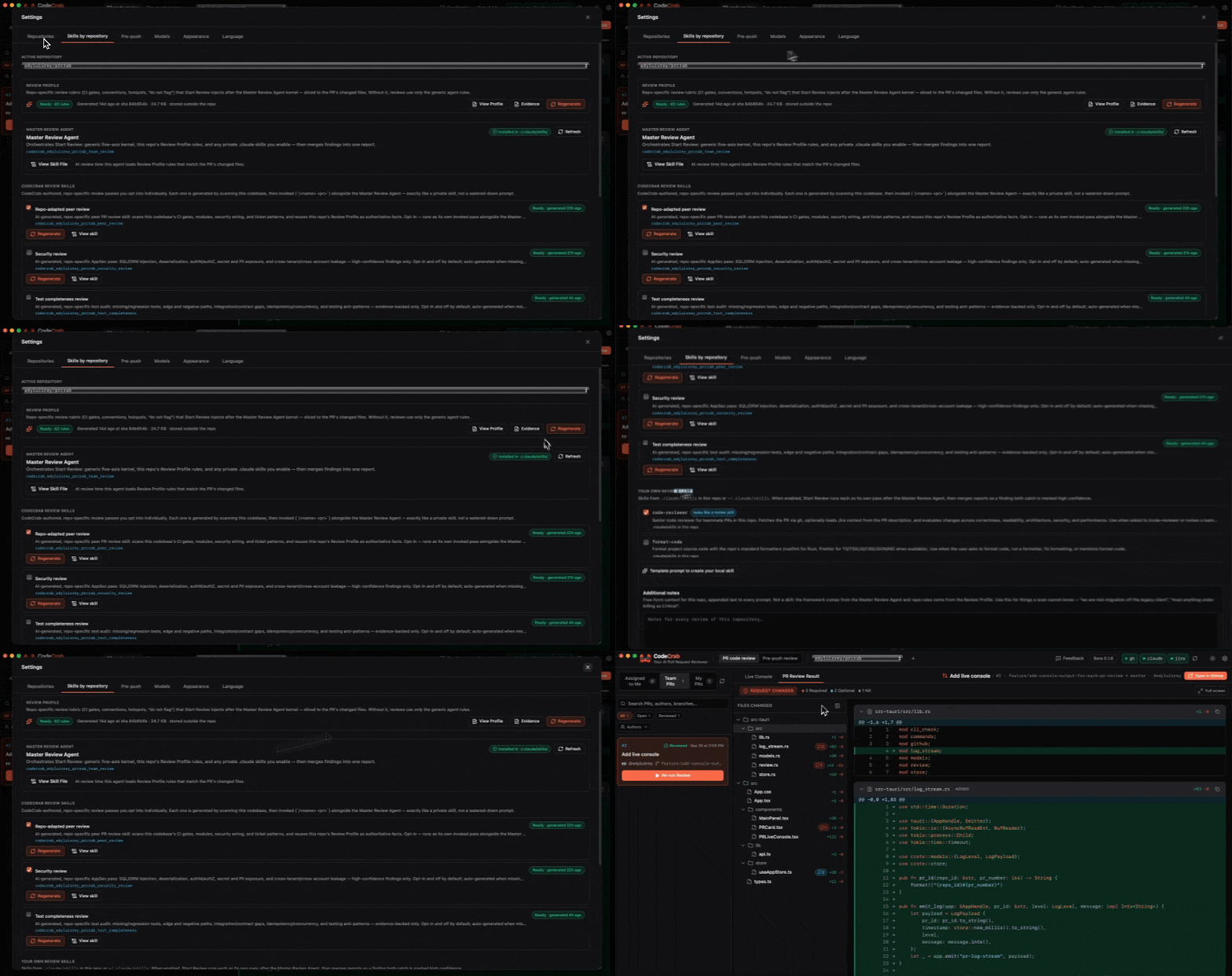
## Output format (CodeCrab contract — mandatory)

The final answer MUST use exactly this markdown shape. Keep the field labels in English. Do not
invent other section names (no "Critical Issues" or "Required Changes" headings).

```markdown
## Review Summary
**Verdict:** APPROVE | REQUEST CHANGES
**Overview:** 1-2 sentences.
**Stack context:** languages/frameworks/conventions inferred.

### Findings

#### Finding 1 — Critical|Required|Optional|Nit
- **File:** `path/to/file.ext`
- **Line:** 42
- **Axis:** Correctness | Readability | Architecture | Security | Performance
- **Problem:** Precise issue.
- **Why it matters:** Concrete merge risk.
- **Suggested fix:** Concrete change.
- **Detail ref:** codecrab_peer_review#1
- **Suggested PR comment:**
  ```
  <copy-paste review comment addressed to the author; not posted>
  ```
```

Order findings: Critical, Required, Optional, Nit.
Everything else in the skill stays useful: the five axes, the severity definitions, the change-sizing signals, and the read-only constraints. Only the final shape changes, so the same reviewer works whether you ran it yourself or CodeCrab did. The suggested PR comment is text for the engineer to inspect, not permission to post it. Follow the setup steps in Docs: reuse your own skills to connect your local instructions, and see how repository profiles and local skills work together.
Local skill files do not make the underlying model offline. CodeCrab does not operate a separate code-review server, but your chosen AI CLI may send context to its model provider. Check that provider's data handling and your organization's policy; our local-first privacy guide explains the distinction.
Frequently asked questions
Do I need a plugin to add a custom Claude Code skill?
No. A local skill directory containing SKILL.md is enough. Plugins are another distribution option, not a requirement for this tutorial.
Can I use the same skill in CodeCrab and in the Claude Code command line?
Yes. Both read your local skill files, so the same SKILL.md works when you type /code-reviewer yourself and when CodeCrab loads your skills during a review. The only change worth making for CodeCrab is swapping the output section for its mandatory contract.
Does a skill automatically review every Pull Request?
No. A skill supplies instructions when invoked. Running it on every PR requires a separate automation workflow; creating the file alone does not install a GitHub review bot.
Can I reuse the same skill across repositories?
Yes, through your personal skills directory. Keep repository-specific rules in project instructions or project skills so one team's conventions do not leak into unrelated reviews.
Will a review skill catch every bug?
No. It improves consistency and context, but findings still require validation. Tests, permission controls, and human approval remain part of the review process.
Official references
Skill syntax and behavior were checked against the official Claude Code documentation on October 8, 2026. Features may vary with your installed version.
- Claude Code: extend Claude with skills — locations, frontmatter, invocation, and troubleshooting.
- Claude Code: custom subagents — delegated work and isolated context.
- Claude Code: permissions — tool access controls beyond written instructions.
Try it on your next Pull Request
Free Public Beta — runs 100% on your machine. No code leaving your laptop.
Download CodeCrabKEEP READING
The AI-Era Code Review Checklist: How to Review AI-Generated Code (and Vibe-Coded PRs)
A practical code review checklist for AI-generated code: verify authorization, API contracts, data integrity and tests, with copy-ready review templates and a repository-aware prompt.
Cursor Bugbot vs Codex vs Claude Code: Which AI Reviews Pull Requests Best?
Compare Cursor Bugbot, OpenAI Codex and Claude Code for PR and pre-push reviews: triggers, repository rules, permissions, privacy, practical prompts and a fair evaluation method.
Claude Code Subagents for Code Review: Security, Performance and Architecture Reviewers
Build three specialized Claude Code review subagents with copy-ready definitions: a security reviewer, a performance reviewer and an architecture reviewer, each with isolated context and read-only tools.
Best AI Code Review Tools in 2026: CodeRabbit vs Greptile vs Qodo vs Cursor Bugbot vs CodeCrab
A no-pricing comparison of the leading AI code review tools: where your code goes, what permissions you grant, how much context the reviewer sees, and when the review happens.
Local-First AI Code Review: Why Enterprise Codebases Can't Rely on Cloud Review Bots
Cloud review bots copy your diffs to vendor servers and ask for org-wide permissions. Here is how local AI code review and self-hosted PR review really differ, and what to verify before trusting either.
How to Review Code with Claude Code: From Generic Prompts to Repo-Aware Reviews
Claude Code can review Pull Requests, but generic prompts miss what matters. Learn how review skills, repository context and a fixed output format turn it into a real reviewer.
AI Can Write Your Code. But Who Reviews It? The New PR Bottleneck
AI made writing code cheap, but reviewing AI-generated code is now the bottleneck. Learn why PR queues grow, why rubber-stamping is risky, and how to review before the Pull Request.
Code review that fits your workflow: local skills and repository-aware agents
CodeCrab combines your existing local review skills with per-repository profiles and specialized agents, so you can review PRs and pre-push changes with the full codebase in context.
PR Code Reviews: how CodeCrab unblocks your team in the AI era
AI writes more code than ever, so review queues are the new bottleneck. Here is how CodeCrab reviews Pull Requests locally, with repo-specific skills and full engineer control.
My PRs — Feedback: turn vague review comments into a clear fix
Generic or unclear feedback on your Pull Request stalls you for days. CodeCrab investigates every comment with full local code context and hands you a ready-to-run fix prompt.
Pre-Push Code Review: catch bugs before the Pull Request even exists
The cheapest bug is the one that never reaches a PR. CodeCrab reviews your local changes with your repo's own profile and skills, so you push higher-quality code the first time.